Present the catalogue
Organise products into categories, arrange homepage collections and add the details customers need.
Ecommerce software
A storefront for your customers, with the tools to manage the orders behind it. Bring your catalogue, checkout, stock and fulfilment workflow together.
Arrange the homepage, organise products and manage the details of an order from packing through delivery and returns.
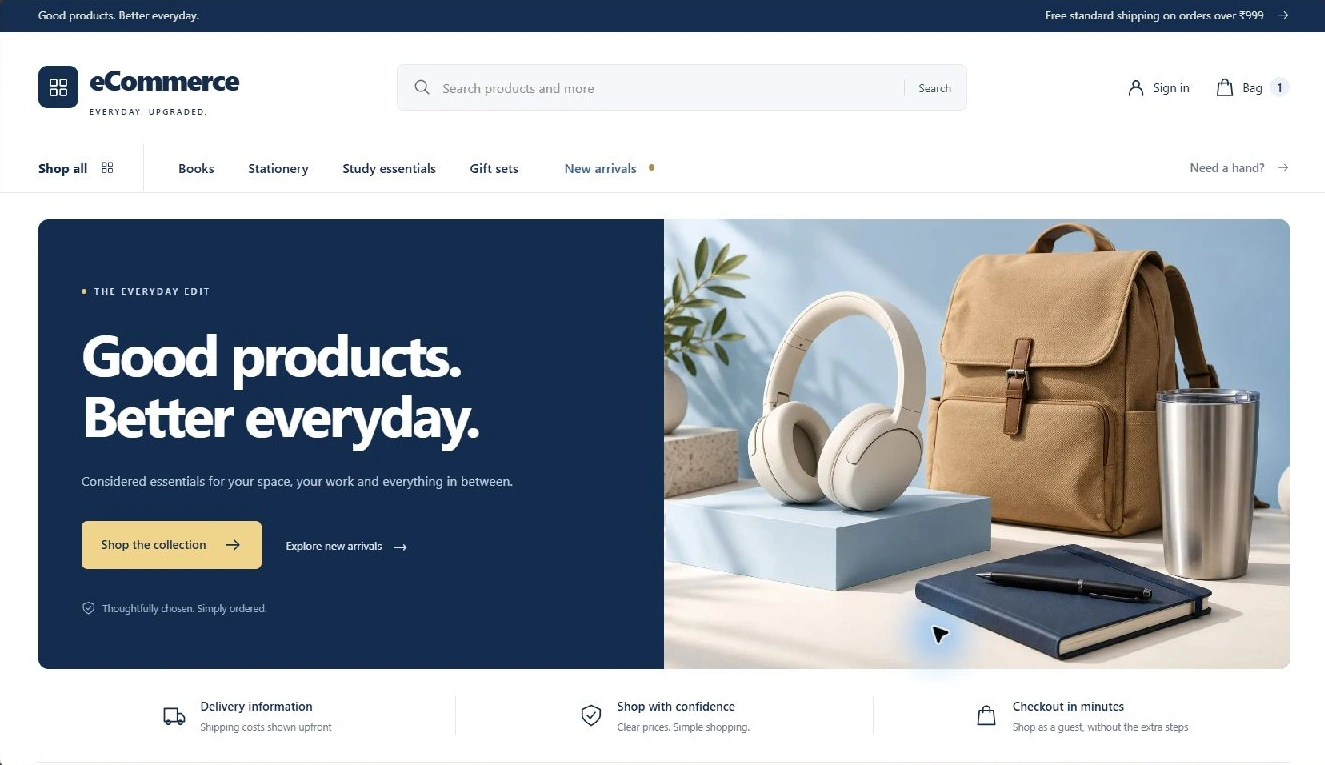
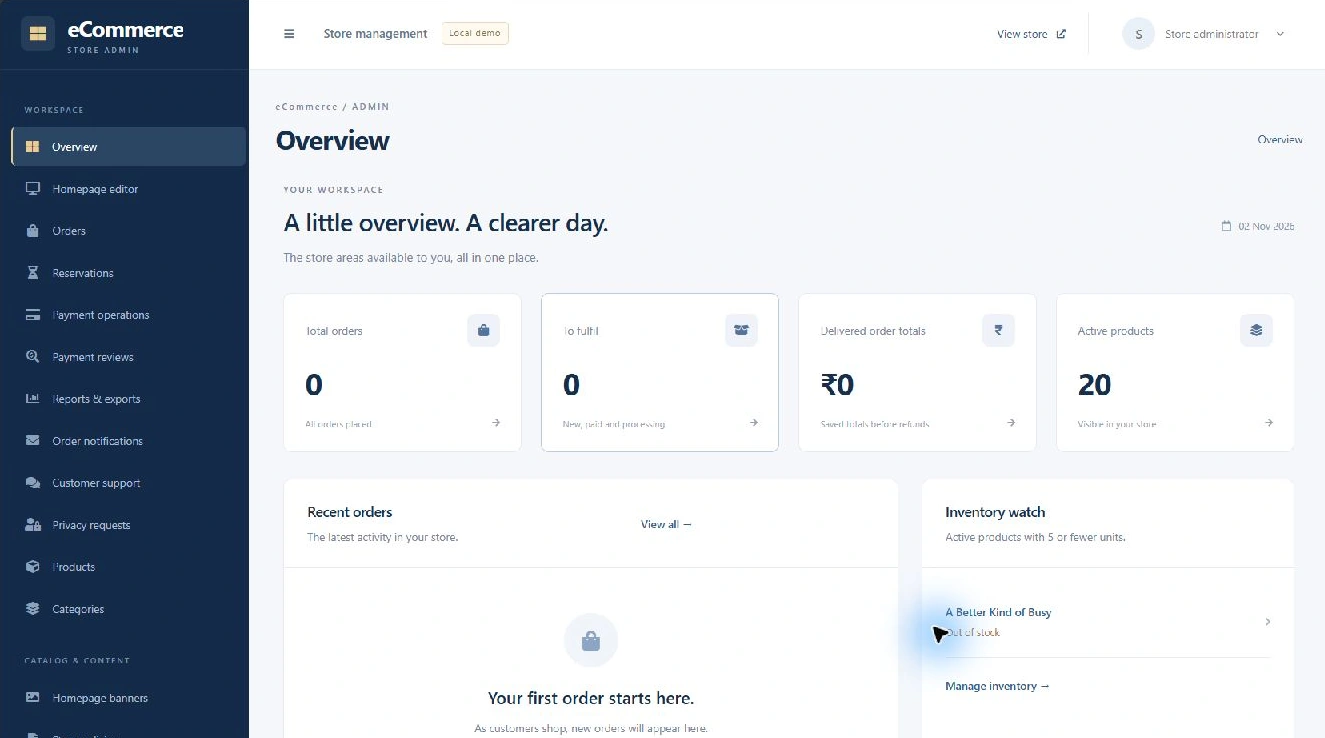
Storefront and administration, shown with local demo data.
A look inside
These are screenshots from the running product. The local demo uses a sample catalogue and configurable store content.
Search, category navigation and collection sections help customers find their way into the catalogue.
The overview brings recorded orders, fulfilment work and inventory into view. The screenshot shows sample products and an empty order list.
01 / The workflow
Help shoppers find a product, then give your team a place to manage the order.
Organise products into categories, arrange homepage collections and add the details customers need.
Let shoppers search, filter and sort products, review item details and build their cart.
Collect delivery details and calculate the order using current prices, available stock and configured charges.
Review payment and order status, prepare an invoice and record packing, shipping, delivery or returns.
02 / Inside the product
A customer-facing store and an administration area for the team running it.
Make the catalogue easier to browse and narrow down.
Keep product quantities, availability and order totals connected.
Use the payment methods configured for your store.
Manage the products customers see and the stock available to order.
Keep order processing and its supporting paperwork together.
Adjust the shopfront and organise the people who manage it.
03 / Your store
Your catalogue, brand, payment arrangements and shipping process shape the setup. We agree the required configuration and custom work before delivery.
Discuss your requirementsProduct details, categories, photographs, stock, pricing and the attributes customers use to choose.
Payment account configuration, delivery coverage, shipping charges, invoices and your fulfilment steps.
Brand presentation, hosting, data setup, payment testing and support. Additional integrations are scoped for your store.
Before a demo
Karyavan Ecommerce provides a configurable online storefront and an administration area for catalogue, stock, orders, invoices and fulfilment. The current checkout includes cash on delivery and Razorpay integration for an India-focused setup. Branding and additional integrations are scoped for each store.
Yes. Store content, categories, product attributes and homepage sections can be configured. We review your catalogue and checkout requirements to agree the setup and any design changes needed.
The current implementation includes configurable cash on delivery and Razorpay integration, with an India-focused checkout. Merchant activation, credentials and live payment testing are part of setup. Other gateways, currencies or international checkout need a separate scope.
The administration area records courier and tracking details alongside fulfilment status. Automatic courier booking or live tracking needs a separately agreed integration.
Yes. We can discuss storefront design, catalogue setup and integrations against the current product. A product walkthrough helps identify what can be configured and what needs custom development.
Let's look at your store
Tell us what you sell, how you take orders and what happens before a parcel leaves your desk.